


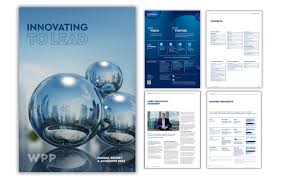
Year-end reports and case studies often gather dust on a shelf or get skimmed in an email. But what if they told your story in a way that captivated readers, highlighted wins, and inspired action? Visual content flips the script, turning dense data into engaging narratives that stick. Businesses using visuals in reports see up to 94% more views and 3x more engagement than text-heavy versions. Whether you’re recapping a banner year or showcasing a client success, these ideas make your content pop without needing a design degree. Let’s explore proven formats, real examples, and steps to create them yourself.
Why Visuals Transform Reports
Numbers and timelines bore, but stories with images inspire. Annual reports with infographics boost reader time by 65%, while case studies with before-after visuals convert 20% better. Readers process images 60,000 times faster than text, making visuals perfect for busy execs or stakeholders.
Year-end recaps build momentum for next year; case studies prove value to prospects. Creative examples like Mailchimp’s cartoon journey or Vev’s animated timelines show how motion draws eyes. Data proves it: interactive reports get shared 5x more.
Infographics for Key Metrics
Infographics distill complex stats into scannable stories. Start with a hero stat, like revenue growth, flanked by icons for quarters. Use color blocks for categories: green for wins, orange for challenges.
For year-end: vertical flow from January highlights to December goals. Case studies: problem-solution-results arc with metrics visualized as rising arrows.
Tips to nail it:
- Limit to 5 key numbers.
- Pair stats with icons (dollar signs, clocks).
- Vertical layout for social shares.
Mailchimp’s illustrated stats tucked into drawings made their report viral.
Timelines and Roadmaps
Timelines breathe life into milestones. Horizontal scrolls work for web reports, showing project phases or quarterly wins. Add milestones as pins on a road: Q1 launch, Q2 pivot, Q4 record sales.
Case studies shine with customer journey maps: awareness, consideration, decision. Use curved arrows or winding paths for narrative flow.
Make yours dynamic:
- Numbered steps with photos.
- Progress bars filling to completion.
- Hover reveals details (digital).
Vev’s scrollytelling timelines engaged readers through parallax effects.
Before-and-After Transformations
Case studies thrive on proof. Side-by-side visuals scream success: cluttered dashboard to sleek redesign, low traffic graph to spiking line chart.
Year-end: then-vs-now company stats. Photos work too: team of 5 to 20, empty office to bustling HQ.
Enhance impact:
- Same scale for fair comparison.
- Annotations explaining changes.
- Subtle animations revealing “after.”
Warby Parker’s personal data tool let users create their own before-afters.
Data-Driven Charts and Graphs
Charts clarify trends. Donut charts for budget splits, bar races for sales growth, heatmaps for regional performance.
Year-end: stacked bars comparing years. Case studies: funnel drop-off visuals showing optimization wins.
Keep clean:
- Drop gridlines, 3D effects.
- Custom colors matching brand.
- Bold labels, no legends if possible.
Coop Norge’s animated counters unfurled data as readers scrolled.
Photo Collages and Mood Boards
Collages humanize reports. Grid team photos for culture highlights, before-during-after project shots.
Year-end: mosaic of event snaps, customer faces. Case studies: client testimonials over product images.
Pro techniques:
- Consistent filters for cohesion.
- Overlays with quotes or stats.
- Irregular grids for energy.
Dive into an Adobe Express collage maker for quick layouts from your photo library, adding text overlays and exporting shareable PDFs or social graphics in minutes.
Interactive Elements for Digital Reports
Digital opens doors to clicks. Embeddable timelines let users explore quarters. Clickable stats expand details.
Case studies: interactive case study sliders revealing metrics step-by-step. Year-end: flipbook PDFs with video hotspots.
Platforms like Foleon or Genially enable no-code interactivity. Stats show interactive content gets 2x completion rates.
Storytelling Through Illustrations
Custom illustrations add personality. Cartoon characters guide through reports, like Mailchimp’s blue explorer.
Year-end: illustrated year calendar with icons per month. Case studies: metaphor visuals, leaky bucket for churn fixes.
Hire freelancers or use stock; consistency in style sells.
Video Highlights and Animations
Videos summarize emotionally. 60-second montages of wins, talking-head case study testimonials.
Year-end: fast-cut clips with upbeat music, overlaid stats. Embed YouTube/Vimeo for easy sharing.
Vimeo’s animated timeline explored data playfully. Short vids boost shares by 12x.
Testimonial Carousels and Quotes
Quotes build credibility. Carousel sliders rotate client stories with photos.
Case studies: pull-quote graphics with headshots. Year-end: employee shoutouts in badge styles.
Design tip: Rounded corners, subtle shadows for polish.
Infographic Timelines with Icons
Merge timelines and icons. Roadmap with laptop icons for launches, handshake for partnerships.
Color-code by theme: blue for products, green for growth. Animate in for web.
Human Rights House layered headers over photos with parallax.
Step-by-Step Creation Guide
Gather assets: stats, photos, testimonials. Outline story: hook, body, call-to-action.
Choose tool: Adobe Express for collages/infographics, Canva for basics.
Build:
- Sketch layout on paper.
- Input data, generate visuals.
- Customize brand colors/fonts.
- Add animations/transitions.
- Export formats: PDF, web, social.
Test readability on mobile. Iterate based on feedback.
Time saver: templates cut creation from days to hours.
Measuring Visual Impact
Track opens, time spent, shares. Tools like Google Analytics log PDF downloads.
Survey readers: “Did visuals clarify data?” A/B test versions.
ROI: Visual reports lead to 15% more leads from case studies.
Tools and Resources Roundup
Free: Google Slides for basics. Adobe Express for collages/charts.
Paid: Visme for animations, Venngage infographics.
Stock sites: Unsplash photos, Flaticon icons.
Start small, scale creative.
