


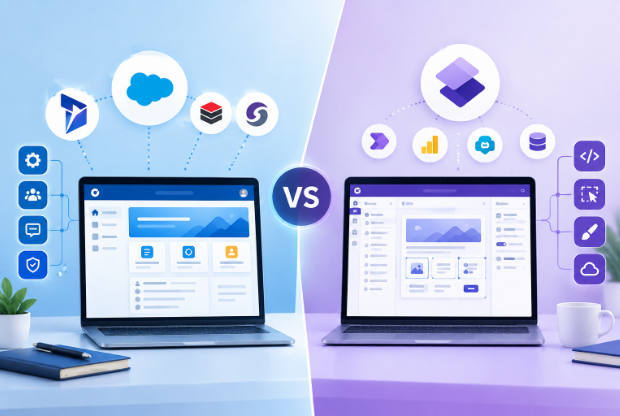
A team evaluating a customer-facing portal for Dynamics 365 usually runs into the same fork in the road: build it on Power Pages, Microsoft’s own low-code portal product, or buy a packaged Dynamics 365 customer portal from a third-party vendor and configure it instead. Both routes end at a website customers log into and see their own data. The similarity stops there.
They are not two versions of the same thing
Power Pages is Microsoft’s product, sold through the Power Platform, billed against the Dynamics 365 agreement you probably already hold, and built directly on Dataverse table permissions. A packaged option like CRMJetty’s Dynamics 365 Customer Portal is a separate company’s product that reads and writes to Dataverse in real time but is not Microsoft’s own build. That single fact- who owns the underlying product- is what the rest of the differences trace back to.
Pricing: metered capacity vs. a flat rate
Power Pages is priced in capacity packs, billed yearly. Authenticated users run $200 per website for a pack of 100 users per month, which comes with 2GB of database and 16GB of file storage. Anonymous users run $75 per website for a pack of 500 users per month, with 0.5GB of database and 4GB of file storage. A 30-day free trial is available before committing. The bill scales with how many of your customers log in and how often, which means a busy month costs more than a quiet one even if nothing about the portal itself changed.
CRMJetty’s Dynamics 365 Customer Portal is a flat $399 per month for up to 500 users, the same rate across every CRM it supports (Dynamics 365, Salesforce, SugarCRM, SuiteCRM), with no per-login or per-session charges. There is no self-serve free trial; evaluating it means booking a demo first, which is a real friction point next to Power Pages’ 30-day trial. Above 500 users, or for multi-CRM deployments, pricing is quoted directly.
Neither model is objectively cheaper. A small, stable user base can cost less on Power Pages’ capacity packs than on a flat subscription. A large or unpredictable one, especially one with seasonal spikes, can make the flat rate the safer budget line.
Architecture: build it yourself vs. configure a product
Power Pages gives you the building blocks: Liquid templates, table permissions, forms, lists, and the full Power Platform stack (Power Automate, Power BI, Copilot Studio) behind them. Nothing ships pre-built. A form, a page layout, a permission rule, all of it is assembled by whoever is doing the implementation, whether that is an internal Power Platform developer or a partner. The upside is that you own the entire build and can shape it to match Dataverse’s data model exactly.
CRMJetty ships as a packaged product with a no-code, drag-and-drop page and widget builder aimed at admins rather than developers. Real-time two-way sync to Dataverse is built in, along with standard modules for case management, document sharing, knowledge base access, and role-based dashboards. The trade is the mirror image of Power Pages: faster to stand up, less flexible at the edges, and dependent on the vendor’s roadmap for anything the product doesn’t already do.
Skill requirement: Power Platform literacy vs. no-code configuration
This is where the two options actually separate teams into different buyers. Power Pages assumes someone on the team, internal or contracted, understands table permissions, Liquid syntax, and how Dataverse security roles govern what a portal user can see. Microsoft’s 2026 Wave 1 release plan pushes this further by making the enhanced data model the default for new sites, which replaces the older web-roles model with Dataverse security roles directly. That is a real, current architectural shift, and it raises the skill bar for anyone building a new Power Pages site rather than lowering it.
A packaged portal is built for the opposite assumption: that nobody on staff wants to touch table permissions directly. Widgets, page layouts, and access rules are configured through an admin panel, and the underlying Dataverse complexity is handled by the vendor. Organizations without in-house Power Platform capability, or without the budget for one, tend to land here by elimination rather than preference.
CRM lock-in: Dataverse-only vs. multi-CRM
Power Pages only works with Dataverse. If Dynamics 365 is the only CRM the organization runs and always will, this is not a limitation, it is a feature: the tightest possible integration with the platform underneath it. If the organization also runs Salesforce, SugarCRM, or SuiteCRM somewhere else in the business, or might migrate CRMs later, Power Pages does not travel with you. CRMJetty’s architecture is CRM-agnostic across the four platforms it supports, which is the one structural advantage a Dataverse-native product cannot match by definition, not by execution.
Support: platform support vs. vendor support
Microsoft’s support for Power Pages covers the platform, not your implementation. If a release wave breaks a form or a permission rule stops working the way it used to, that is your problem or your implementation partner’s, not a ticket Microsoft will resolve for you. The upside is a partner ecosystem large enough that implementation help is a competitive market rather than a single supplier you are locked into.
CRMJetty’s support comes from the vendor directly, since the vendor built the product you are running. That is a single point of contact and a single point of failure. There is no large third-party partner bench to shop between if the relationship goes sideways, which is worth weighing against the convenience of one vendor owning the whole stack.
AI: platform-level agents vs. built-in content tools
Power Pages sites can now tie into Copilot Studio for building agents on top of the portal, which is a platform-level capability rather than something switched on inside the portal itself. CRMJetty ships three specific AI features built into the product: an AI content generator for widget text, AI-suggested canned responses inside case notes drawn from conversation history, and an AI form generator that builds a form from a plain-language description. Neither approach does the other’s job. Power Pages’ AI surface is broader and platform-native; CRMJetty’s is narrower and pre-built into specific admin workflows.
Neither one covers on-premises Dynamics 365
Worth stating plainly since it rules out both options for some organizations: neither Power Pages nor CRMJetty’s Dynamics 365 Customer Portal supports an on-premises Dynamics 365 deployment. Power Pages is a cloud-only Power Platform product by design. CRMJetty’s Dynamics 365 product is built against cloud Dataverse and does not claim on-premises support either. Organizations still running Dynamics 365 on-premises need a different category of vendor entirely, and that comparison doesn’t belong in this one.
Choose Power Pages if
You already have Power Platform skill in-house or a Dynamics partner who does, Dataverse is the only CRM this portal will ever touch, and you want to own the build rather than configure someone else’s product. The enhanced data model shift makes this the moment to confirm that skill actually exists before committing to a new site.
Choose a packaged product like CRMJetty if
Nobody internally wants to own table permissions and Liquid templates, you need the portal running in weeks rather than after a build project, or the organization runs more than one CRM and a Dataverse-only tool would only solve part of the problem. Go in accepting the trade: less flexibility at the edges, a flat bill instead of a usage-based one, and no free trial to kick the tires with first.
